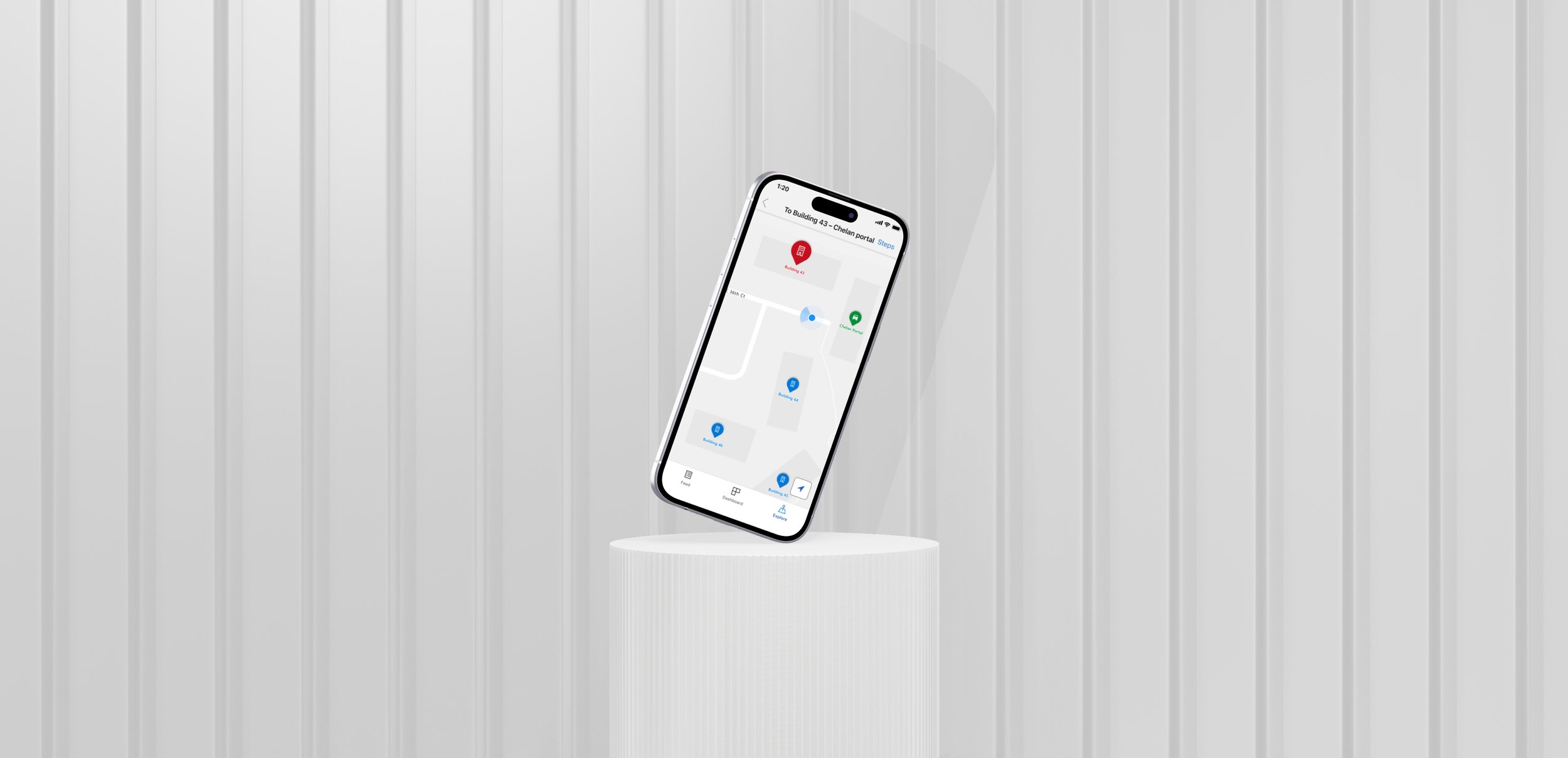
Microsoft Campus | Wayfinding
Challenge: Designing a scalable navigation system for Microsoft’s Redmond headquarters, supporting employees, guest vendors, and partner teams.
Role: Product Designer
Team: Designers, Researchers, Engineers, Product Managers
Focus: Prototyping, visual systems, UI kit development, cross-team collaboration.
Overview
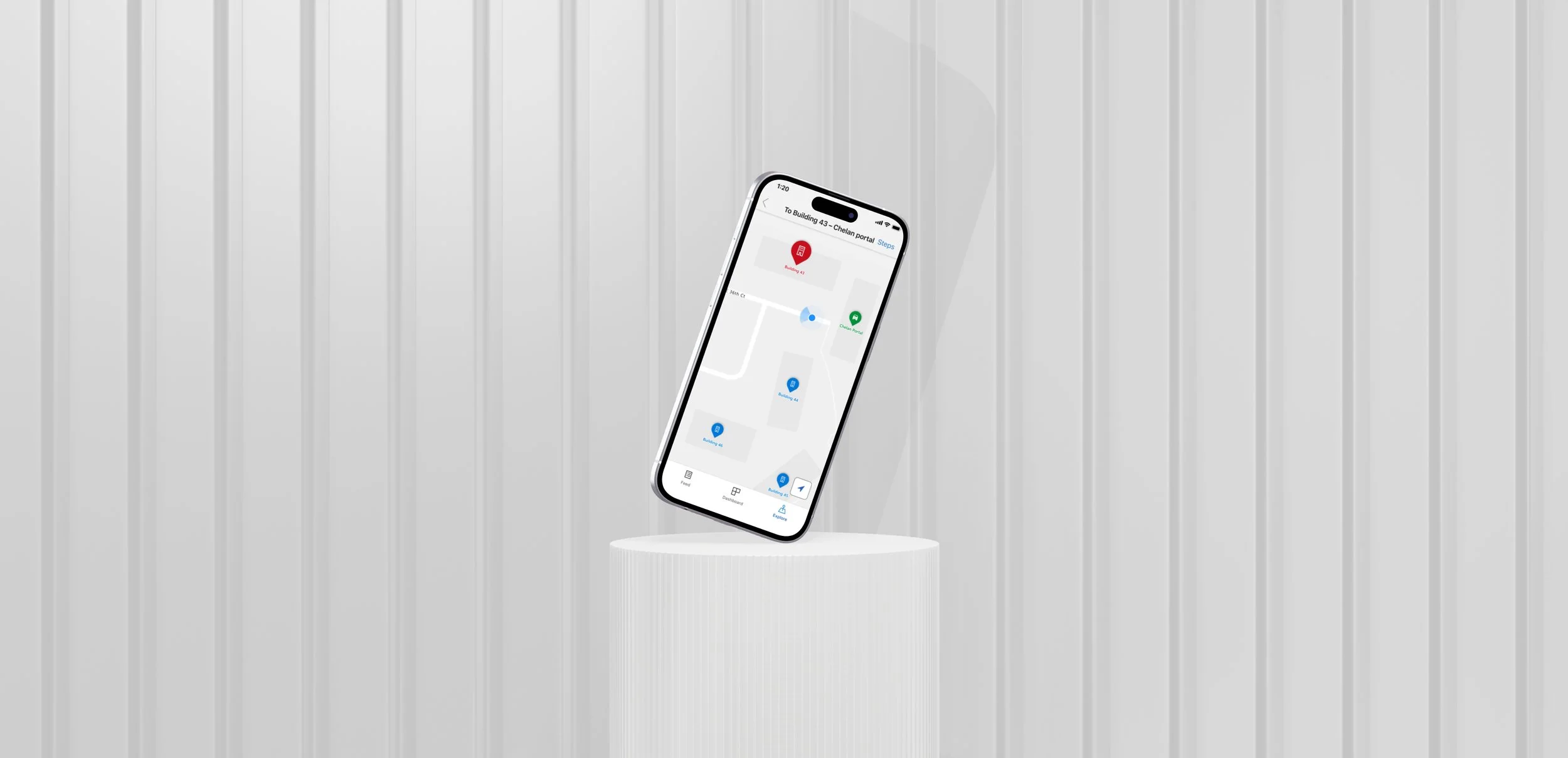
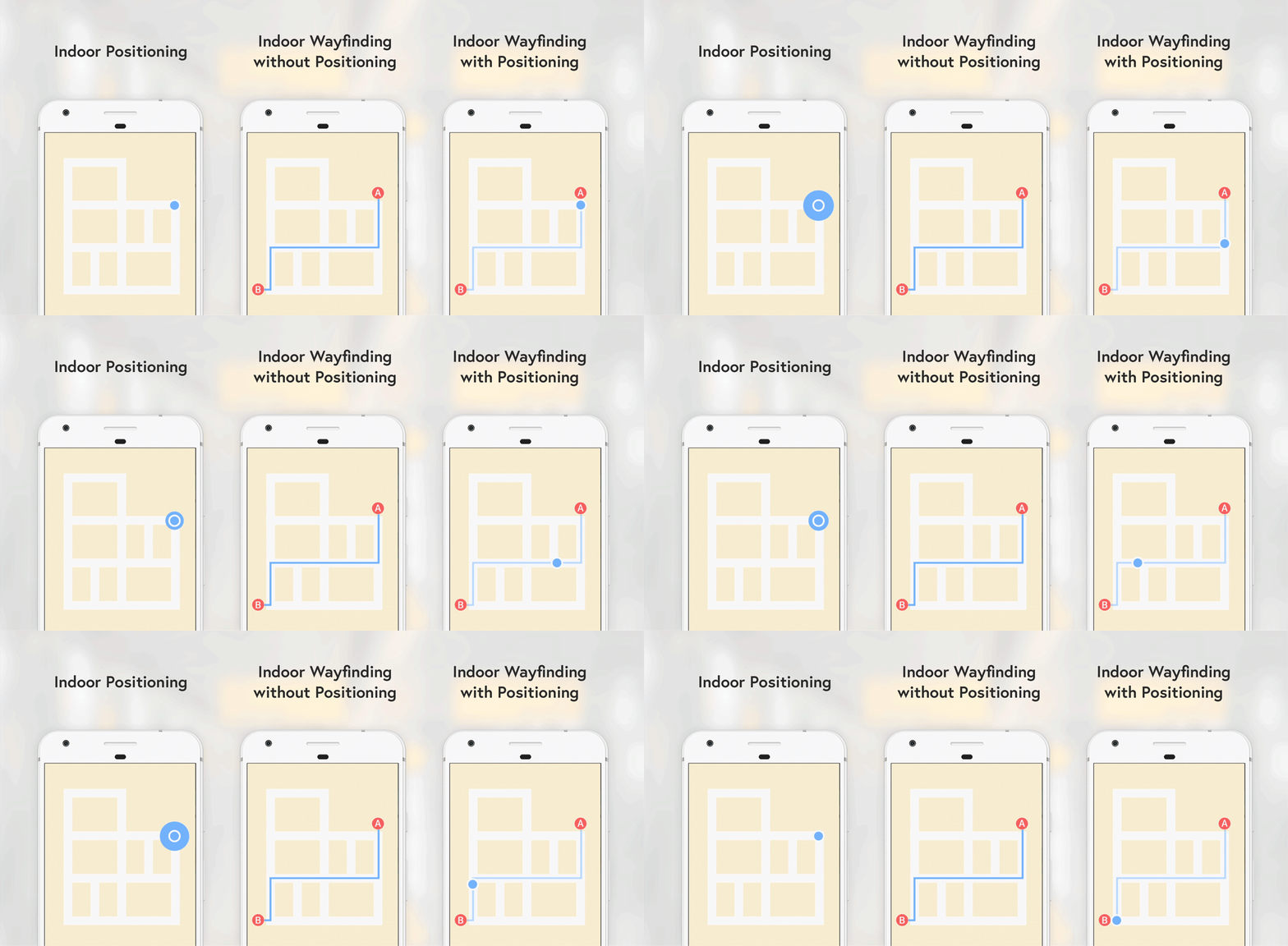
I designed the first-phase navigation experience for Microsoft’s Redmond campus, creating a scalable pathfinding system that will evolve into full indoor positioning (IPS) within the MyHub employee app. The MVP focused on clear, static navigation for employees and guest vendors, while anticipating future real-time guidance.
The Challenge
Microsoft’s campus spans dozens of buildings and parking garages, making navigation difficult—especially for new employees, contractors, and hybrid workers returning to on-site offices.
Core Issues
A fragmented mix of outdated, static maps
No real-time indoor positioning
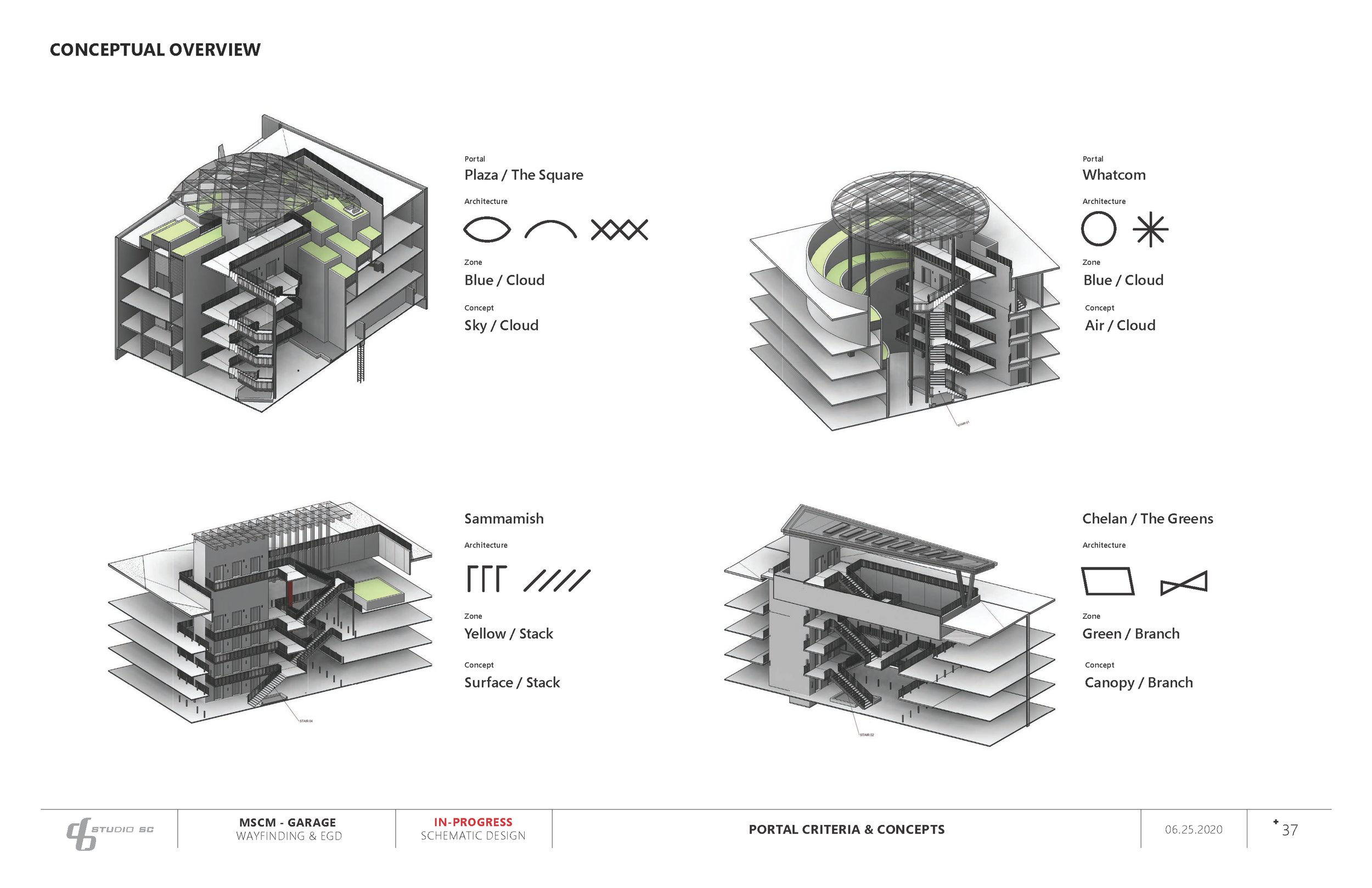
Unclear connections between parking → buildings → room-level navigation
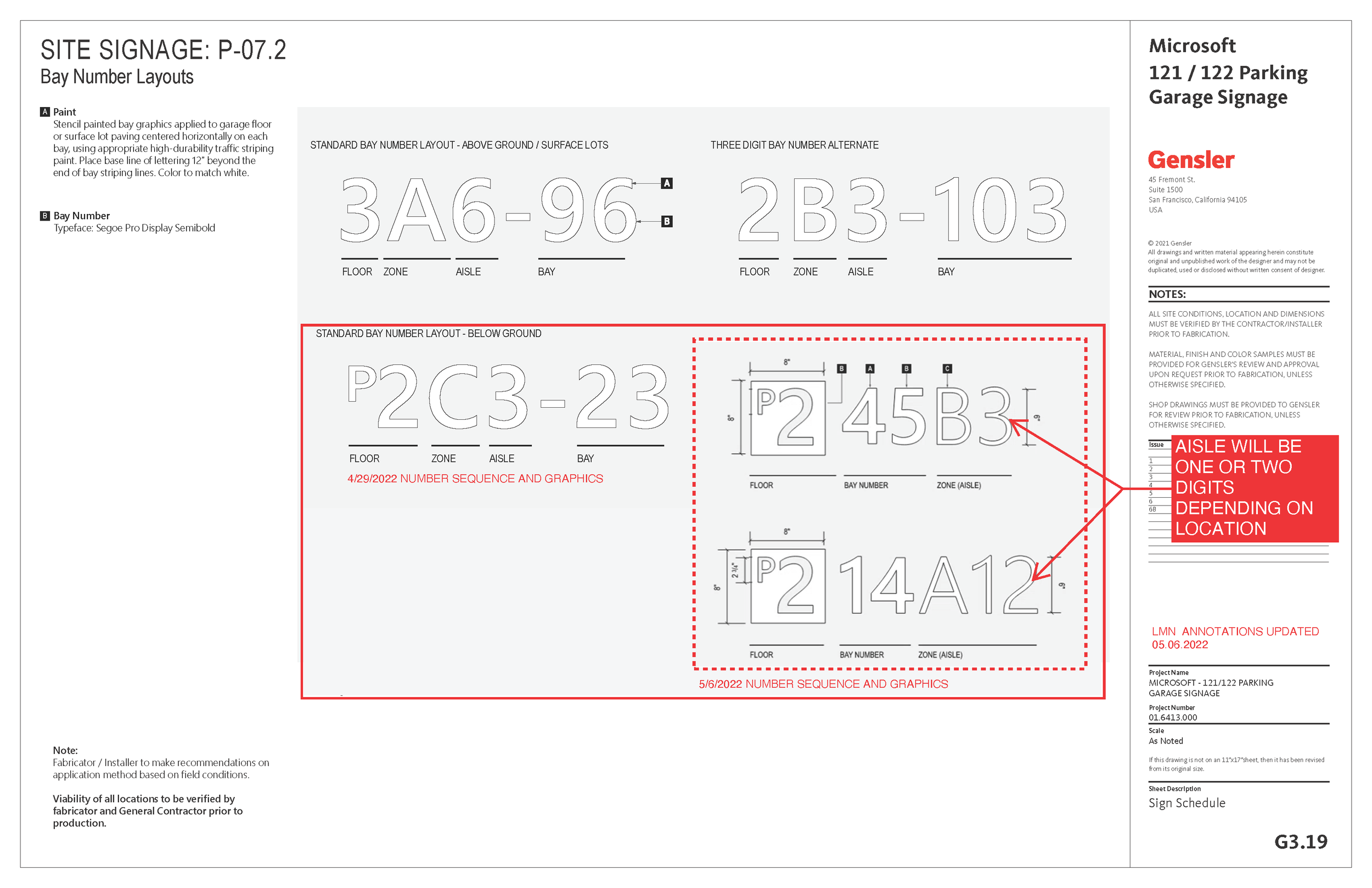
Inconsistent naming and floor conventions
Our goal was to establish a reliable, enterprise-ready wayfinding foundation that could scale with future IPS capabilities.
🔬 Research & Insights
🔬 Research & Insights
Through employee interviews, campus walkthroughs, and mapping audits, we identified consistent pain points:
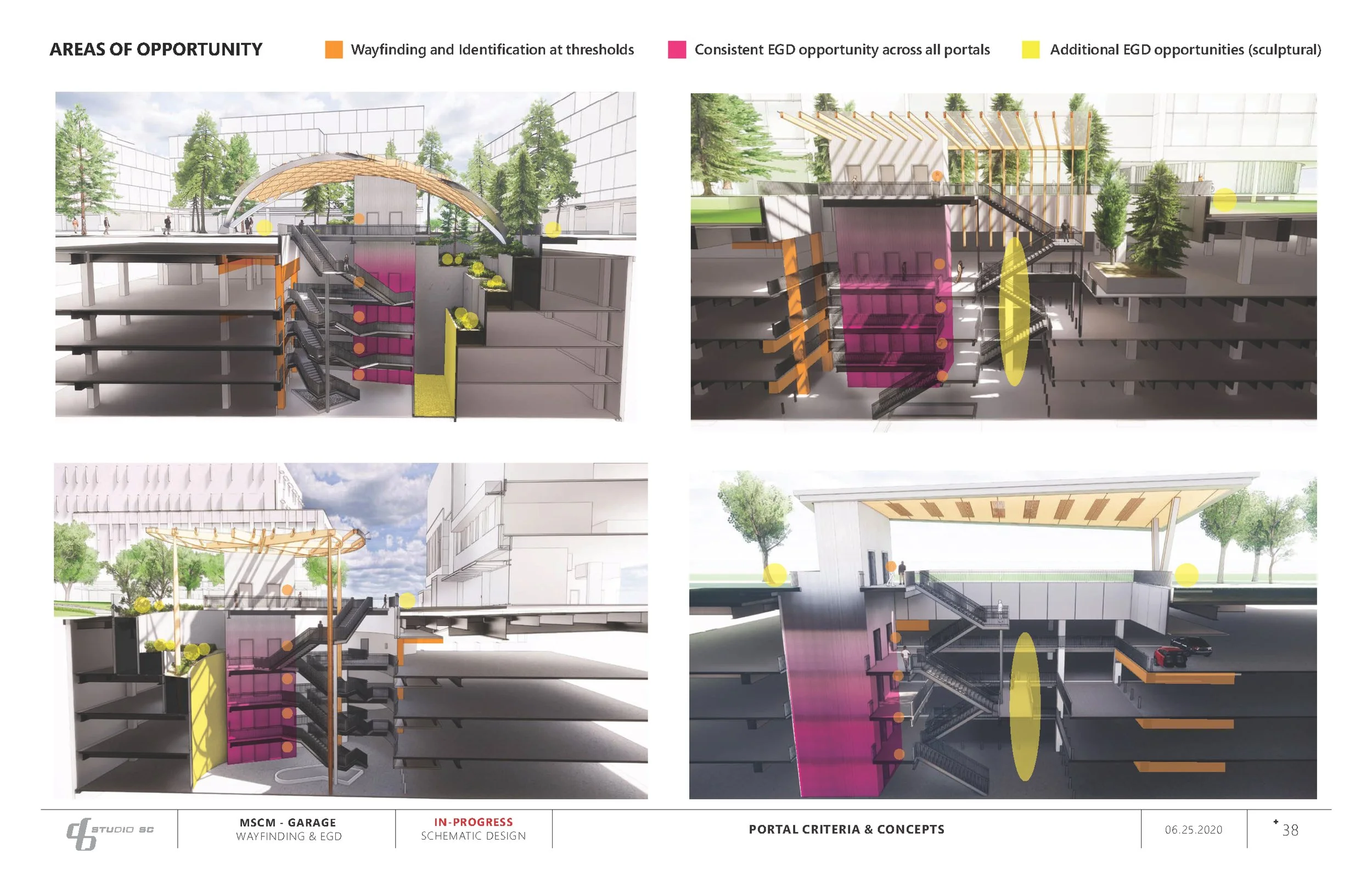
Wayfinding breakdowns often started in the parking garages
Users needed predictable, step-by-step guidance
Lighting, signage variation, and floor inconsistencies created confusion
A phased approach was required: start static, design for dynamic
These insights shaped the MVP scope and the long-term strategy.


🎨 Design Approach
🎨 Design Approach
Information Architecture
I helped to build and refine the core IA for campus navigation, including unified naming, routing hierarchy, and modular logic that could later support live location data.
Visual System
Created a scalable visual language aligned with Fluent Design, including:
High-contrast map visuals
Color-coded buildings and garage levels
Universal, scan-friendly iconography
A modular grid that supports step-by-step and (later) blue-dot routing
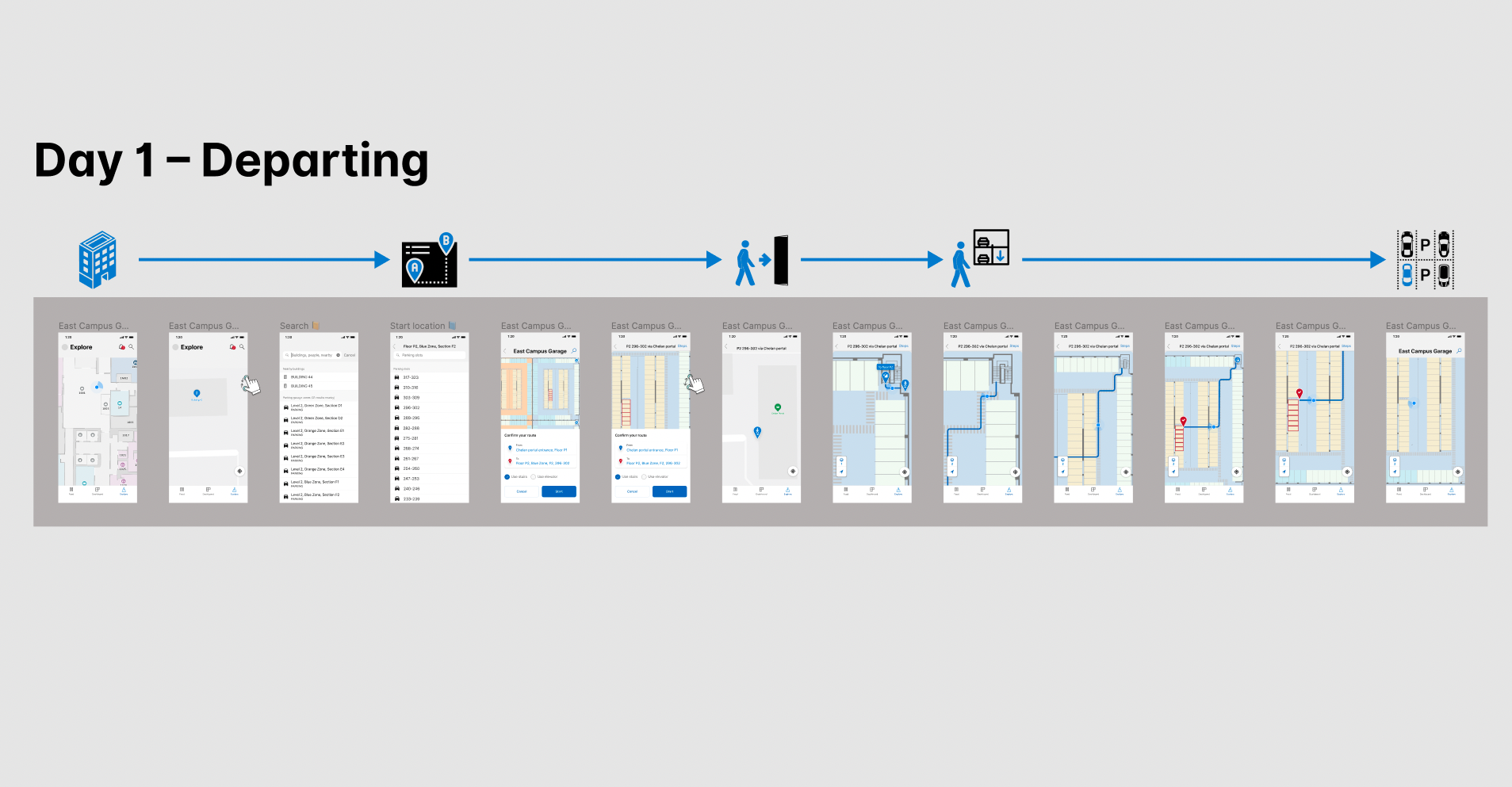
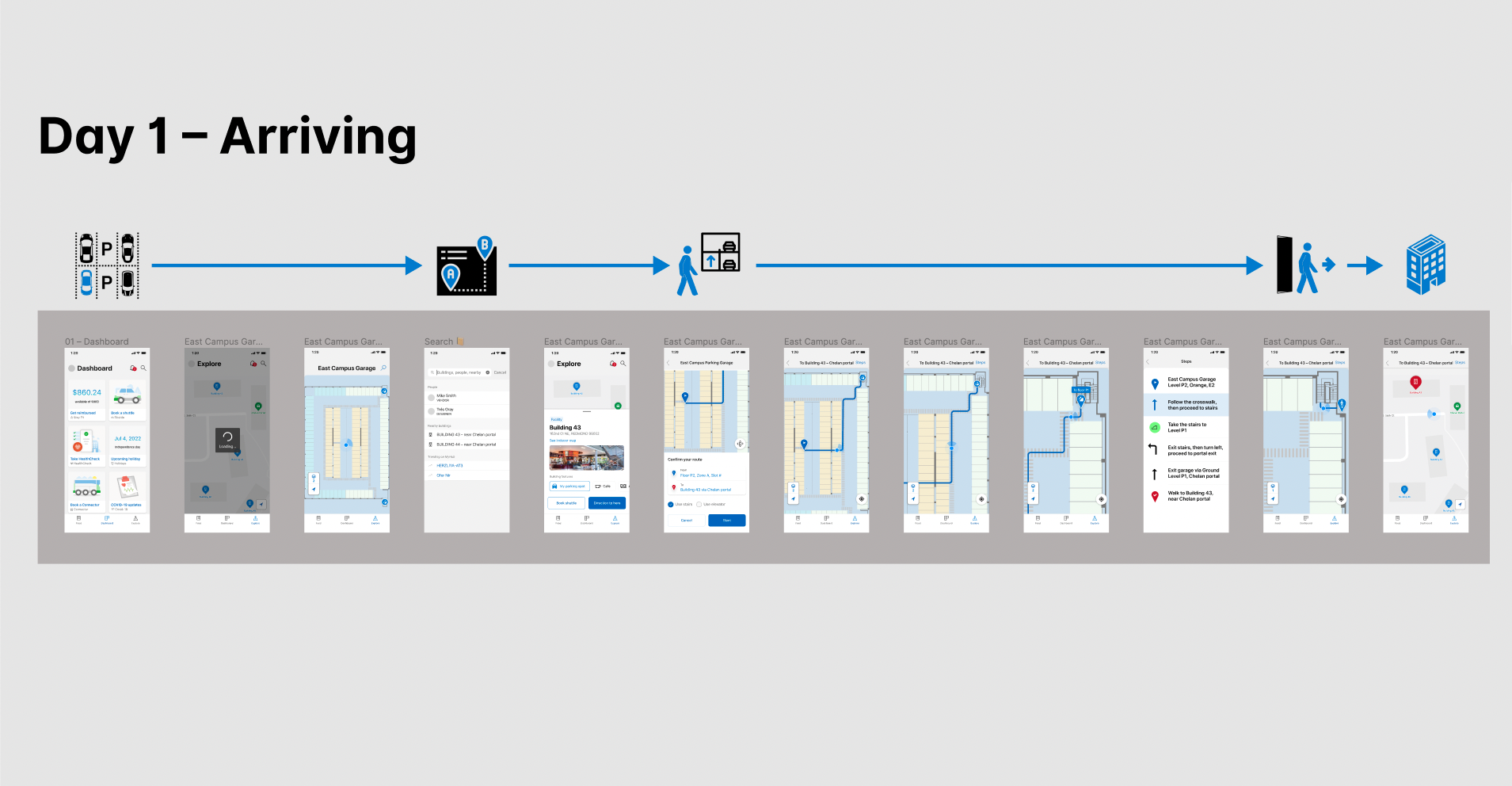
MVP Pathfinding (DAY 1)
Prototype flows included:
Building + garage selection
Floor-level overviews
Static pathfinding sequences
Accessible routing when available
Full-scale map and UI prototypes validated readability and clarity inside the app.
📊 Impact
📊 Impact
Short-term
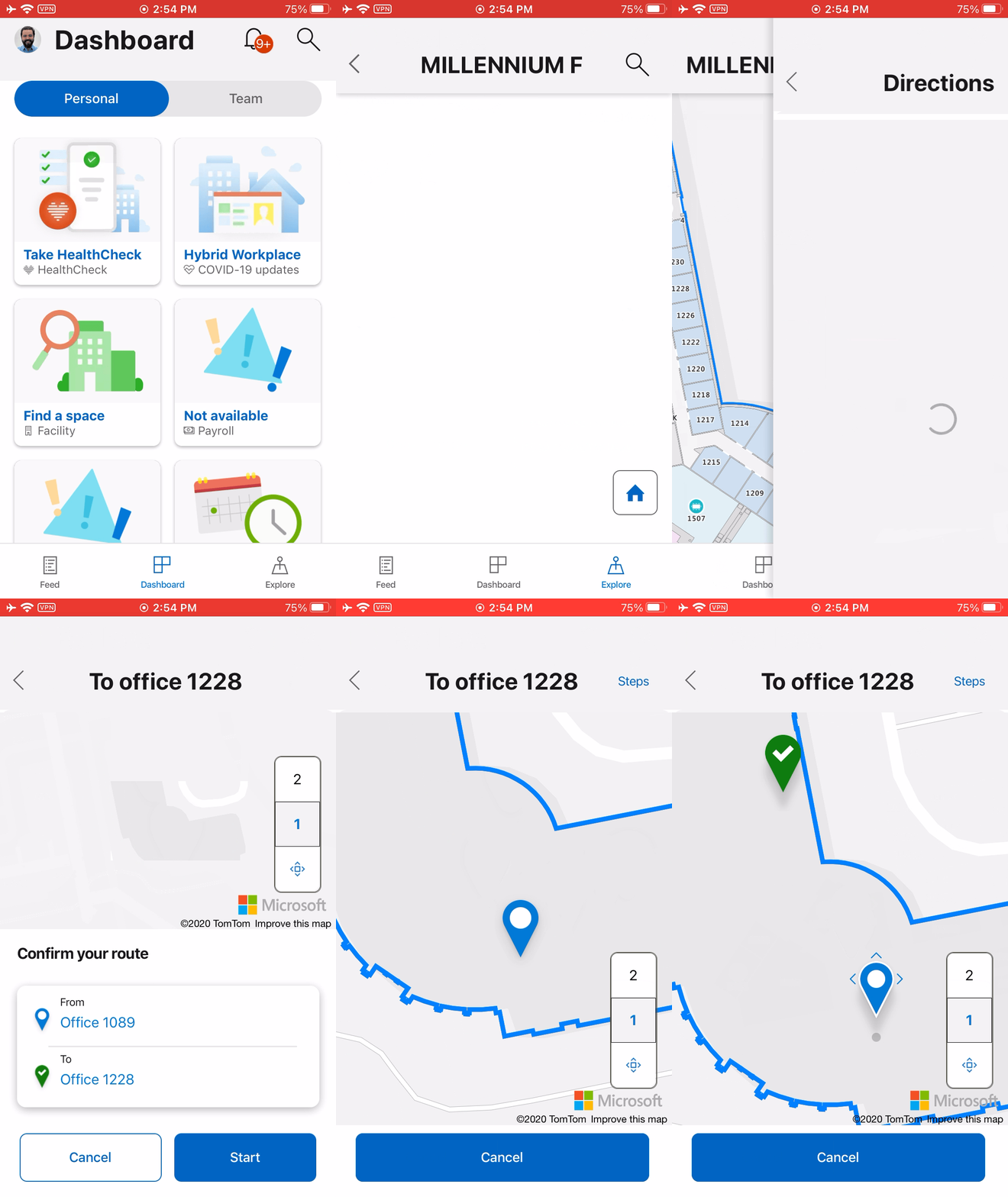
MyHub (app)
Day 1 Wayfinding (demo)
Reduced confusion for employees and visiting partners
Faster orientation from garage → building → destination
A single mobile entry point for all navigation needs
Long-term (goals)
A scalable foundation for blue-dot indoor positioning
Reduced future design and engineering overhead
A system flexible enough to expand across Microsoft’s global campuses